
Final Grade Calculator – What Do I Need To Get On My Final Exam
Find out exactly what you need on your final exam, or calculate your final class grade.
Enter your current grade, exam weight, and the grade you want to achieve.
Calculate Grade
Finals week is here. You open your gradebook, and one question takes over: “What do I need on my final?” Calculating it manually means juggling your current grade, target grade, and final exam weight into a single formula. One wrong number and your whole answer changes.
This final grade calculator gives you the exact score you need in seconds. Use it as a what-if grade calculator to test different scenarios. What if you score a 75%? What if you aim for a B instead of an A? Enter your numbers and get your answer instantly, no sign-up, no math, no guesswork.
This page explains both modes: how to find the score you need on your final exam and how to calculate your overall course grade after the exam. You will also find step-by-step formulas, examples, common mistakes to avoid, and how to use your results to build a smarter study plan.
How to Use This Final Grade Calculator
This calculator has two modes. Select the one that fits your situation.
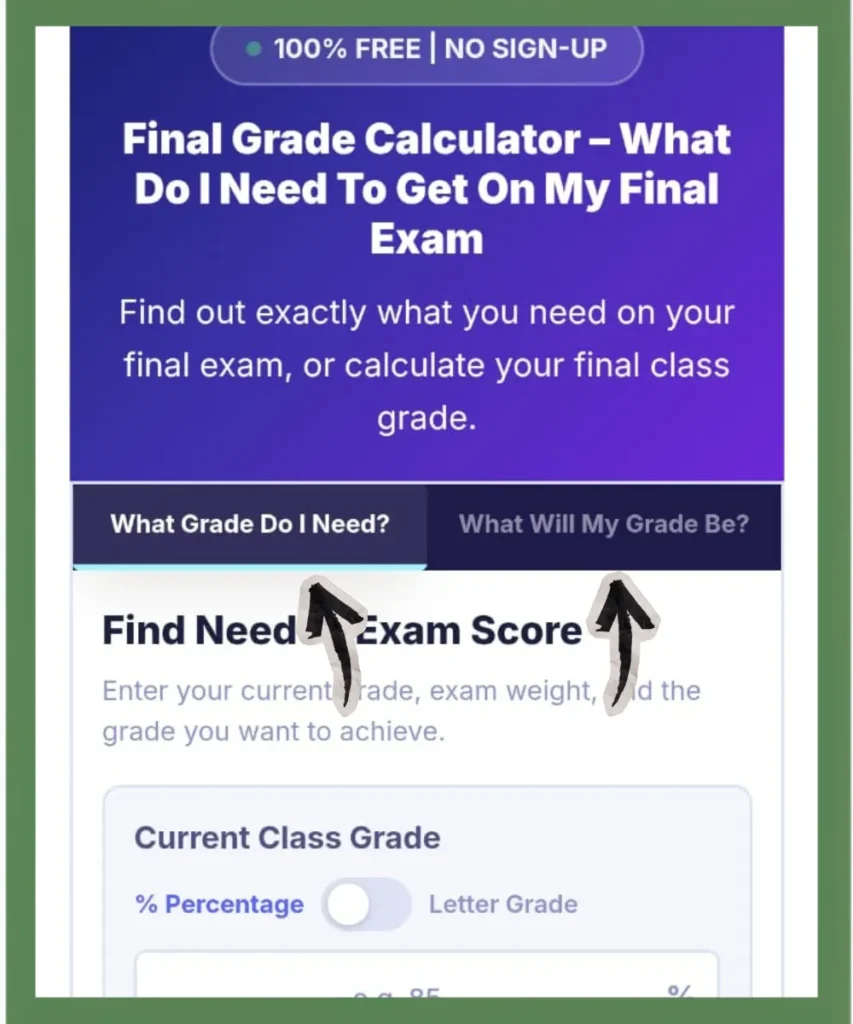
What Grade Do I Need?
Use this before your final exam. It tells you the exact score you need on your final to reach your target.
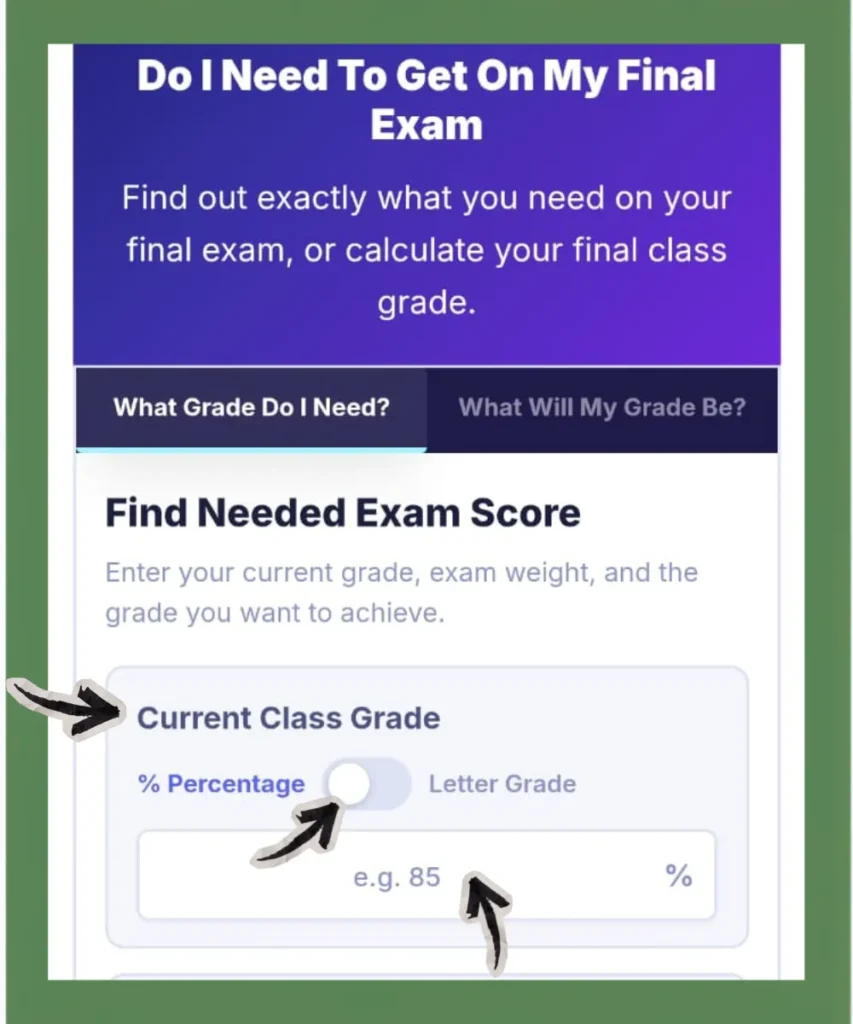
Step 1: Enter Your Current Class Grade
This is your overall course percentage right now, before the final exam. Find it in your school’s gradebook on Canvas, Blackboard, PowerSchool, Skyward, or whatever platform your school uses. If you only know your letter grade, switch the toggle from Percentage to Letter Grade and select from the dropdown. The calculator uses the midpoint of each grade range for this conversion.
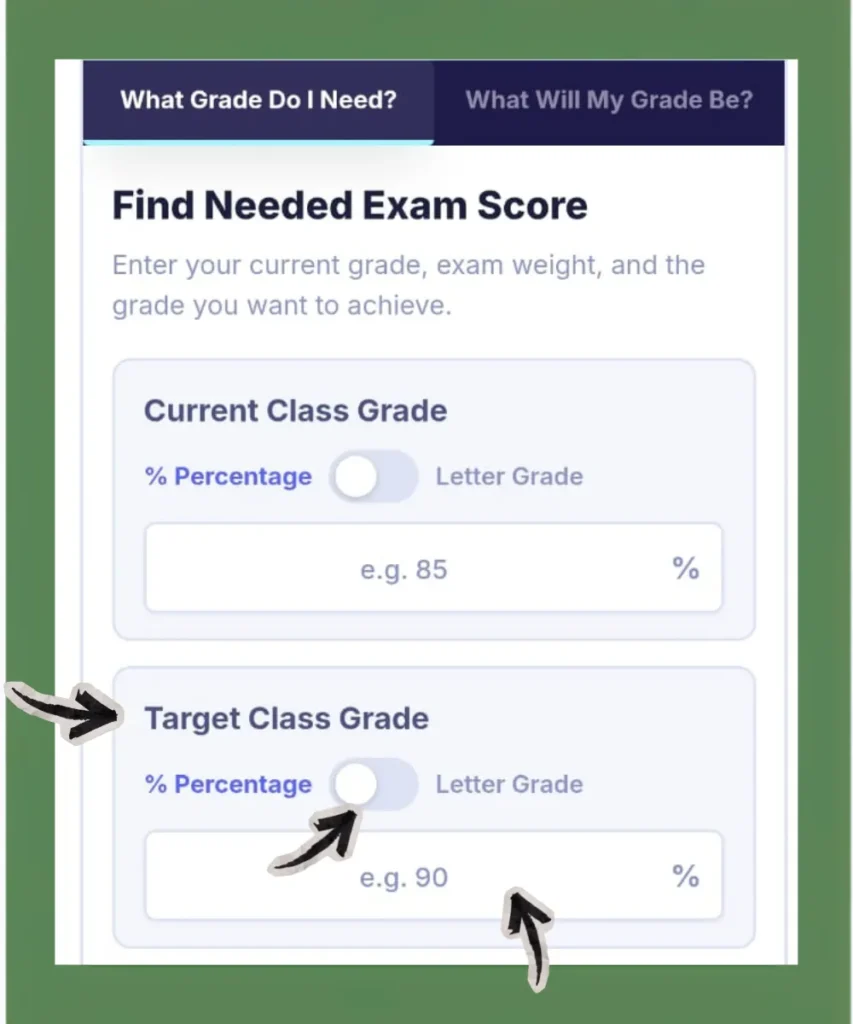
Step 2: Enter Your Target Class Grade
Type the overall course percentage you want to finish with. Switch to Letter Grade if you prefer to pick from a dropdown. When you select a letter grade as your target, the calculator uses the minimum percentage for that grade. For example, selecting B(83-86%) means 83%.
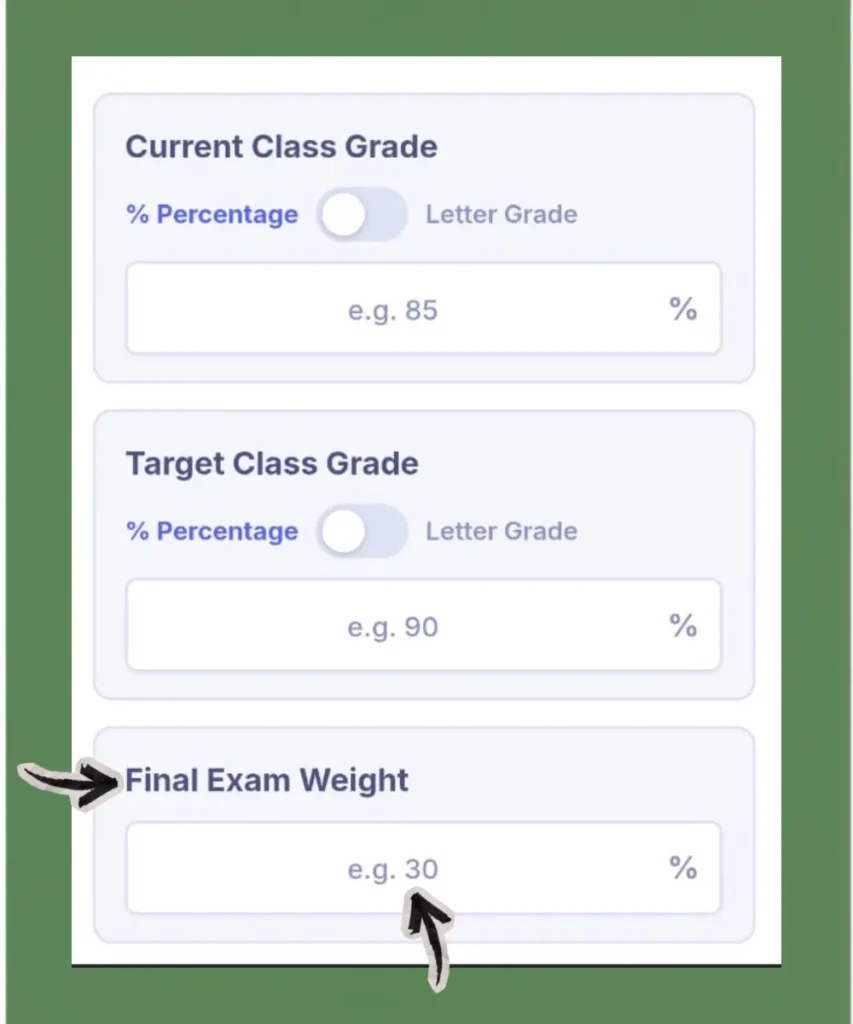
Step 3: Enter Your Final Exam Weight
This is the percentage your final exam counts toward your total course grade. Find it in your syllabus, usually listed as “Final Exam: 30%” or “Final: 40% of your grade.” Enter the number only, type 30 instead of 0.30.
Step 4: Click Calculate Needed Score
Your result shows the exact score you need on your final, along with your current grade and exam weight.
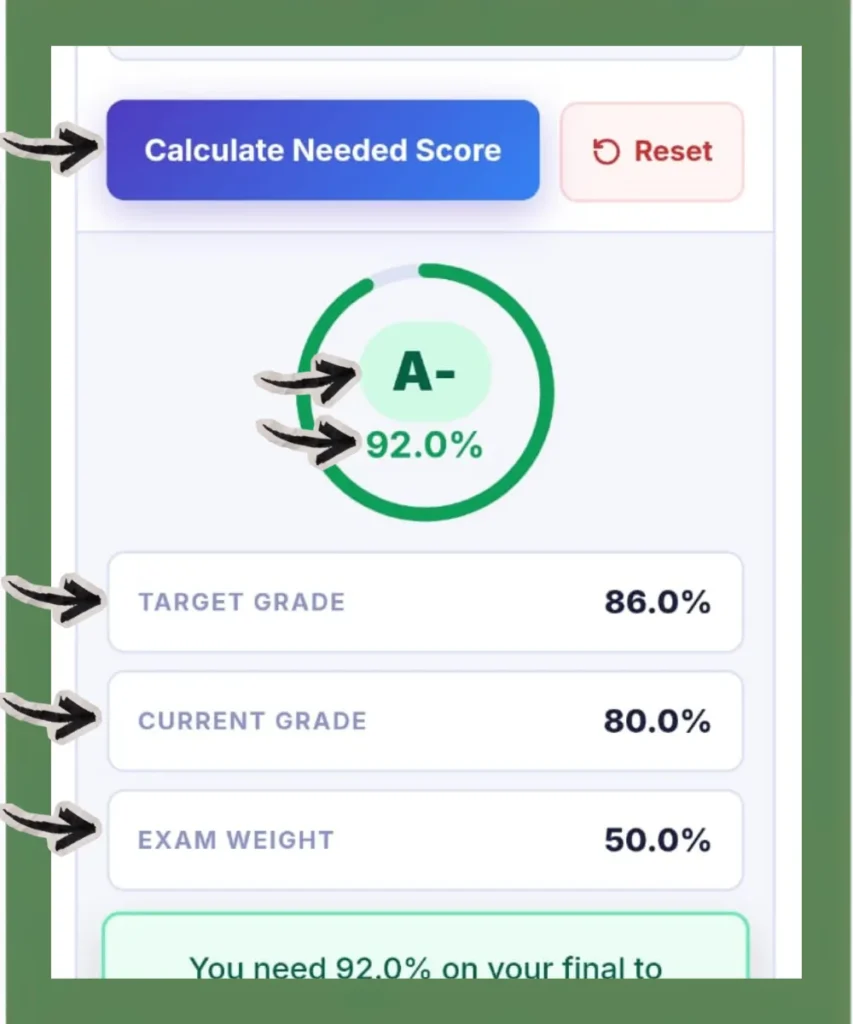
Step 5: Use Reset, Copy, or Share
Reset clears all fields so you can start fresh for a different course. Copy saves your result as text so you can paste it into your notes or send it to your professor or parents. Share sends it directly from your device.
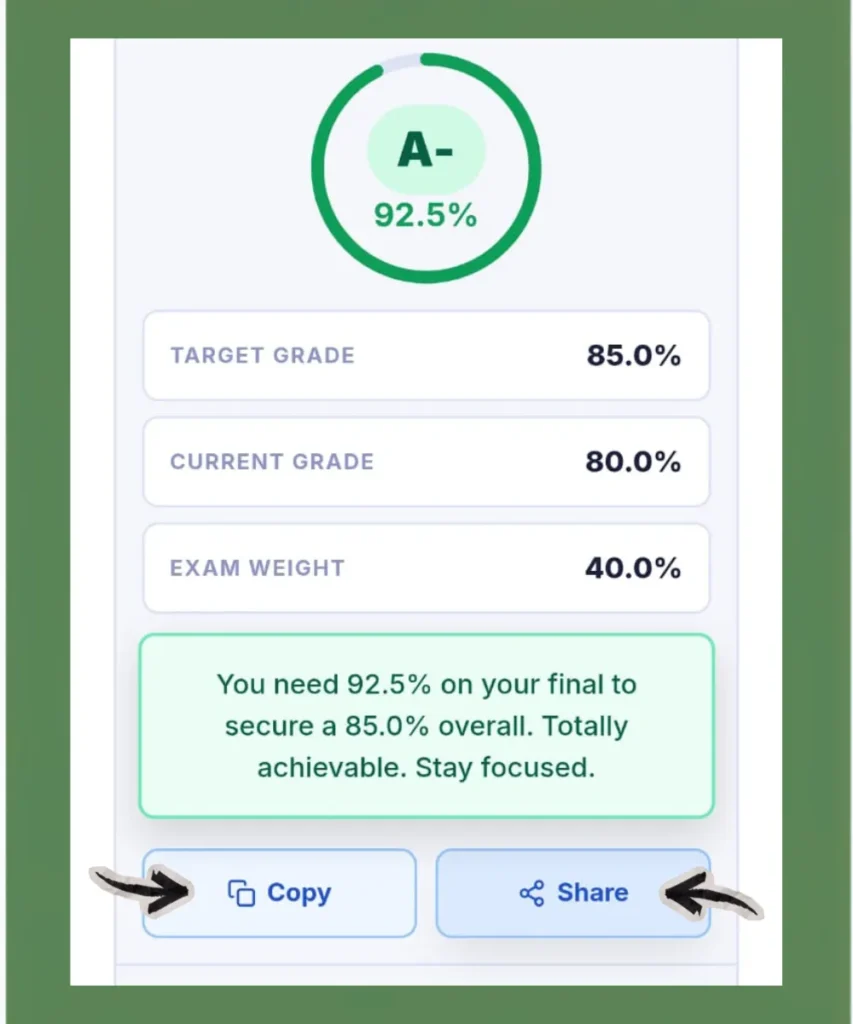
What Will My Grade Be?
When you already know your final score and want to see your overall course grade.
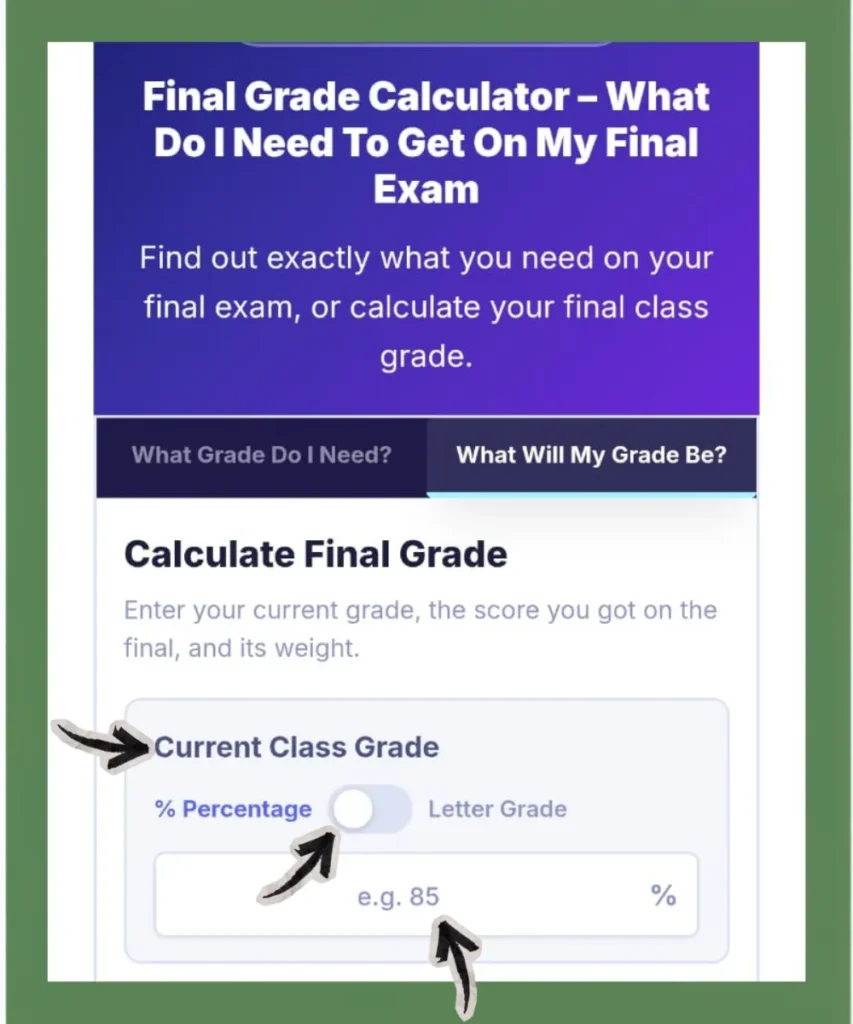
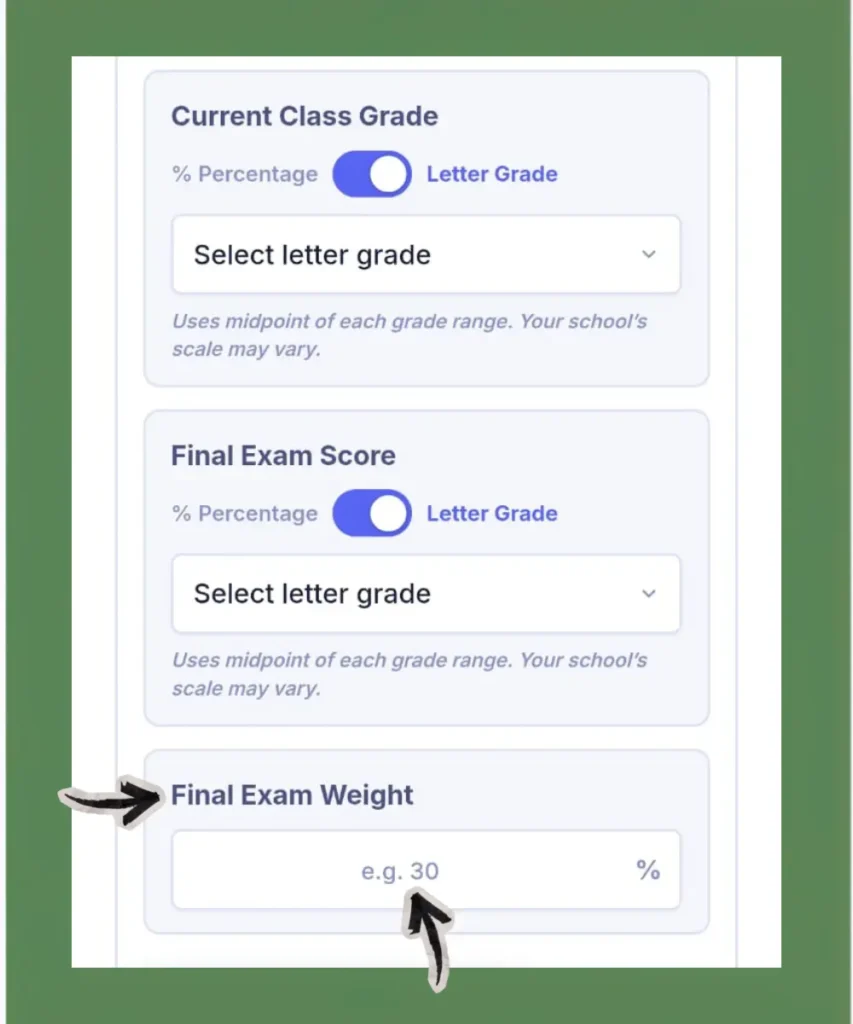
Step 1: Enter Your Current Class Grade
Your overall course percentage before the final exam. You can switch Percentage to Letter Grade if needed. The calculator uses the midpoint of each grade range.
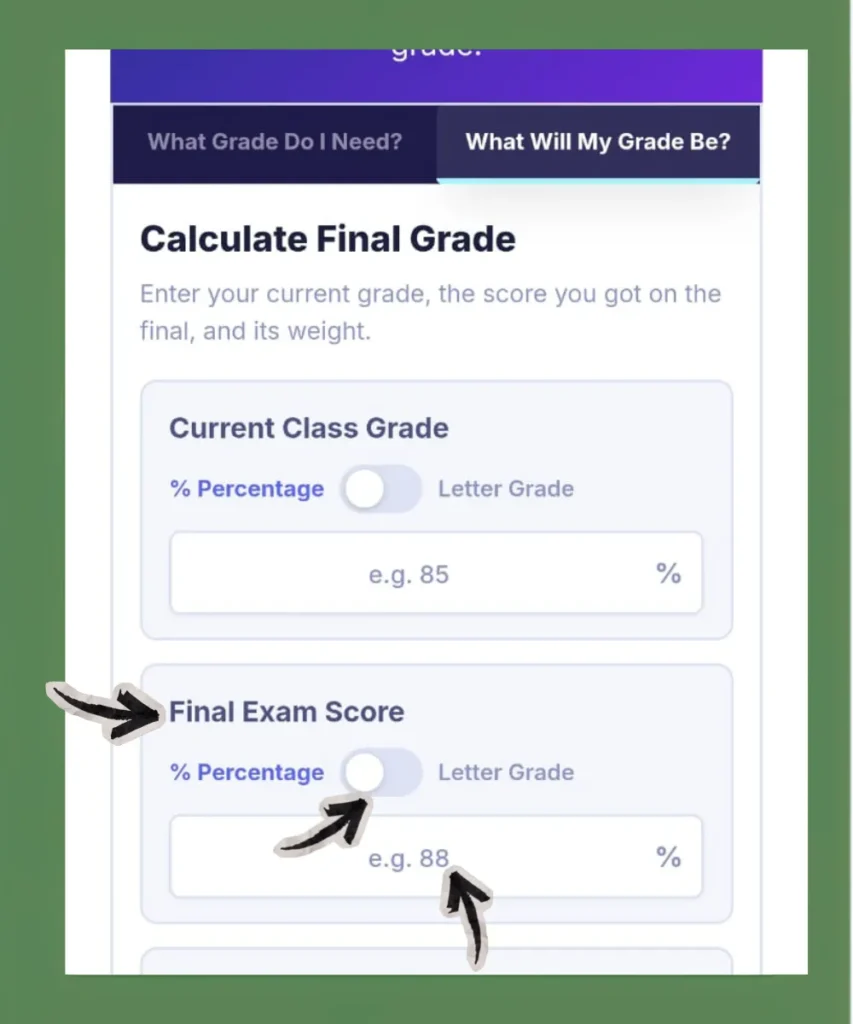
Step 2: Enter Your Final Exam Score
The percentage you scored on your final. If your professor gave you a letter grade, switch to Letter Grade and select it. The calculator uses the midpoint of each grade range for this conversion as well.
Step 3: Enter Your Final Exam Weight
The percentage of your final counts toward your total course grade. Check your syllabus for this number.
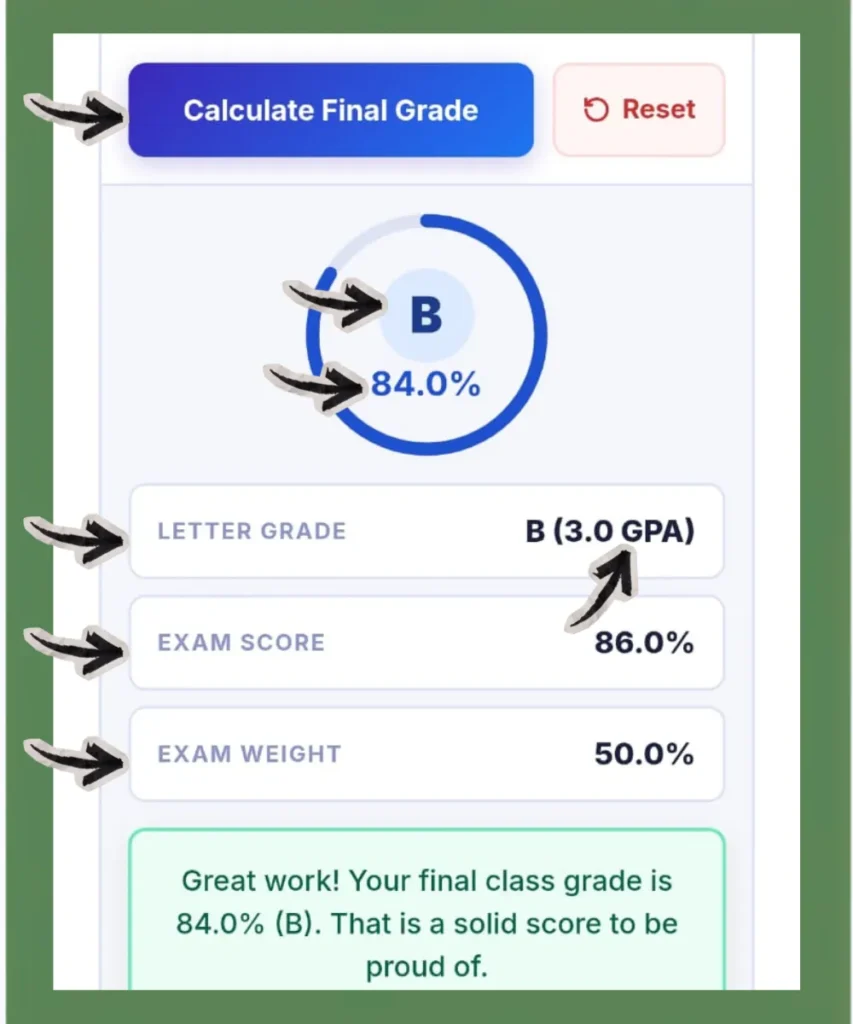
Step 4: Click Calculate Final Grade
Your overall course grade appears instantly with your letter grade and GPA on the 4.0 scale. The grading scale strip at the bottom of the calculator highlights your letter grade.
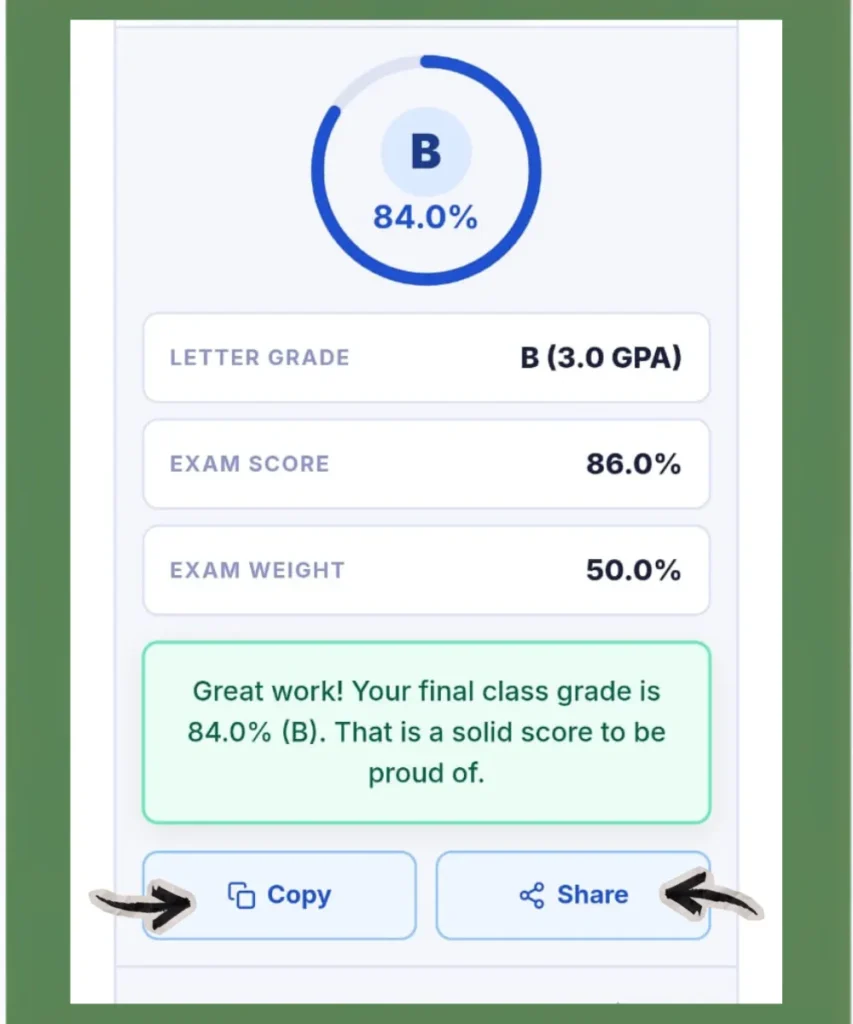
Step 5: Use Reset, Copy, or Share
Reset clears all fields so you can check the percentage for another course. Use the Copy or Share button to send your result to your teacher or parents.
The Formulas Behind This Calculator
You do not need to use these formulas yourself because the calculator does the math for you. However, if you want to understand how the calculations work, here are the two formulas used for the two different modes:
Find The Score You Need On Your Final
Required Score = [{Target Grade − (Current Grade × (1 − Final Weight))} ÷ Final Weight]
To Find What Your Final Grade Will Be
Final Course Grade = (Final Exam Score × Final Weight) + (Current Grade × (1 − Final Weight))
Your current grade already includes everything you have done so far, like homework, quizzes, midterms, etc. But the final exam is the only part left. These formulas show exactly how the last exam changes your overall grade.
Final Grade Calculation Examples
Example 1: What Do I Need to Get a B?
Situation
You have a 79% in Psychology. Your final exam counts for 30% of your grade. You want to finish with a B (83-86%).
Calculation
Since, Required Score = [{Target Grade − (Current Grade × (1 − Final Weight))} ÷ Final Weight]
Therefore, Required = [{83 − (79 × (1 − 0.30))} ÷ 0.30]
Required = [{83 − (79 × 0.70)} ÷ 0.30]
Required = [{83 − 55.3} ÷ 0.30]
Required = [27.7 ÷ 0.30]
Required = 92.3%
Now you have a clear score to aim for instead of guessing.
Example 2: Can I Keep My A−?
Situation
You have an 88% in English Composition. Your final is worth 25% of your grade. You want to finish with an A− (90-92%).
Calculation
Since, Required Score = [{Target Grade − (Current Grade × (1 − Final Weight))} ÷ Final Weight]
Therefore, Required = [{90 − (88 × (1 − 0.25))} ÷ 0.25]
Required = [{90 − (88 × 0.75)} ÷ 0.25]
Required = [{90 − 66} ÷ 0.25]
Required = [24 ÷ 0.25]
Required = 96%
Your excellent current grade helps, but the final still carries enough weight, so you still need to prepare for it.
Example 3: What Is My Grade After the Final?
Situation
You had a 74% in Biology going into the final. The final exam carried 40% of your total grade. You scored an 88% or B+ on the exam.
Calculation
Since, Final Course Grade = (Final Exam Score × Final Weight) + (Current Grade × (1 − Final Weight)), therefore,
Final Grade = (88 × 0.40) + (74 × 0.60)
= 35.2 + 44.4
= 79.6% or C+
That strong final pulled your overall grade up by more than five points.
Example 4: Can I Still Pass?
Situation
You have a 61% in Calculus. Your final is worth 50% of your grade. You need at least a D− (60-62%) to avoid retaking the course.
Calculation
Required = [{60 − (61 × (1 − 0.50))} ÷ 0.50]
Required = [{60 − (61 × 0.50)} ÷ 0.50]
Required = [{60 − 30.5} ÷ 0.50]
Required = [29.5 ÷ 0.50]
Required = 59%
You only need a 59% on your final to pass.
Example 5: Final With Two Parts
Situation
Some finals are split into two parts. For example, a written section worth 15% and a multiple-choice section worth 15%.
Calculation
Add both parts together and enter the combined number as your final exam weight. For a 15% + 15% final, enter 30 into the final exam weight field and calculate from there.
Features of This Final Grade Calculator
What Grade Do I Need?
Enter your current grade, target grade, and final exam weight to get the exact score you need on the final.
What Will My Grade Be?
Enter your current grade, final exam score, and exam weight to see your overall course grade after the final.
Letter Grade Toggle
Every grade input in this calculator has a toggle switch. By default, it takes a percentage. Switch to Letter Grade mode, and a dropdown menu will appear where you can directly select grades like A+, A, A-, B+, B, B-, and more. So, there is no need to convert the grade to a percentage or vice versa by yourself.
Letter Grade And GPA Output
Every result shows your final percentage, your letter grade on the standard US A to F scale, and your GPA value on the 4.0 scale, all at once.
Grading Scale Strip
The grading scale strip at the bottom of the calculator shows every letter grade with its percentage range and GPA value. After clicking on the Calculate button, your letter grade gets highlighted automatically on the scale.
Copy or Share Result
Save your result as text or send it directly from your device.
Reset
Clears all fields so you can calculate for a different course without refreshing the page.
Free, No Account Required
Open the page and calculate. No email, no sign-up, nothing to install.
Mobile-Friendly
The calculator works on any device, such as a phone, tablet, laptop, etc. The layout adjusts automatically, so it is easy to use on a small screen.
What if the Calculator Says You Need Over 100%?
This is one of the most common situations that students face. And it causes a lot of unnecessary stress. If your result comes back above 100%, it means your target grade is not mathematically reachable through the final exam at your current grade. The calculator is working correctly. It is just telling you the truth.
What To Do In This Situation
- Lower your target grade or percentage and calculate again. Keep adjusting it until you find a score that is actually achievable. For example, you may need to aim for a C instead of a B. While that may not be your original goal, it gives you a realistic target and a clear score to work toward on your final exam.
- Talk to your professor before the final. Ask whether your teacher offers extra credit, make-up work, or any end-of-semester grade adjustment.
- Also, check your gradebook carefully. Sometimes an assignment gets entered late, or a score is entered incorrectly. Even a small change to your current grade can shift your required final score by several points.
Why Final Exam Weight Changes Everything
Most students think the final exam is just like one more test. But it can change your course grade more than any other assignment or exam. The higher the final exam weight, the bigger its impact on your course grade.
When current and target grades remain constant, only the weight of finals varies. Then the score you need changes completely. The example below will make this concept easy to understand.
| Current Grade | Target Grade | Final Exam Weight | Score You Need |
|---|---|---|---|
| 65% (D) | C (73%) | 20% | Not reachable |
| 65% (D) | C (73%) | 30% | Not reachable |
| 65% (D) | C (73%) | 40% | 93% |
| 65% (D) | C (73%) | 50% | 81% |
At 50% weight, a student sitting at 65% only needs an 81% on the final to pull their grade up to a C. That same student at 20% weight cannot reach a C, no matter what their score.
How the US Final Exam System Works
In the United States, most high school and college courses take a final exam at the end of each semester. Here is how it fits into the overall grading structure:
| Component | Common Weight Range |
|---|---|
| Homework and Assignments | 10% to 25% |
| Quizzes | 10% to 20% |
| Midterm Exam | 20% to 35% |
| Projects or Papers | 10% to 25% |
| Final Exam | 20% to 50% |
The final exam is almost the highest-weight single item in a course. Always check your syllabus for your exact weights. The ranges above are general and may vary by school and professor.
If you want to check your standing before the final, a midterm exam calculator works the same way. Enter your current grade, your target course grade, and your midterm exam weight in the above calculator to find out exactly what score you need on your midterm. This helps you plan your study time early in the semester, not just during finals week.
The US Grading Scale This Calculator Uses
| Letter Grade | Percentage Range | GPA Value |
|---|---|---|
| A+ | 97% to 100% | 4.0 |
| A | 93% to 96% | 4.0 |
| A- | 90% to 92% | 3.7 |
| B+ | 87% to 89% | 3.3 |
| B | 83% to 86% | 3.0 |
| B- | 80% to 82% | 2.7 |
| C+ | 77% to 79% | 2.3 |
| C | 73% to 76% | 2.0 |
| C- | 70% to 72% | 1.7 |
| D+ | 67% to 69% | 1.3 |
| D | 63% to 66% | 1.0 |
| D- | 60% to 62% | 0.7 |
| F | 0% to 59% | 0.0 |
Some schools use a simple grading scale where A starts at 90%, B at 80%, C at 70%, and D at 60%. Since grading policies vary, always check your syllabus to see the exact percentage ranges that your teacher or professor uses.
Mistakes to Avoid Before You Calculate
These small errors lead to wrong results. Check them first before you hit the calculate button.
1. Using the Wrong Current Grade
Use your overall course percentage, not your score on the last assignment.
2. Getting the Final Weight Wrong
Many institutes list the final as “25 points out of 100 total points.” That means 25%. Always convert to a percentage of the total course grade before entering it.
3. Forgetting Extra Credit Already Applied
If your professor already added extra credit to your gradebook, your current grade already includes it. So do not add more credits unless your professor confirms it.
4. Not Checking for a Dropped Score
Some professors drop the lowest quiz or homework grade at the end of the semester. If that has not happened yet in your gradebook, your current percentage is slightly lower than it will actually be. Check your syllabus to see whether your professor follows this policy.
5. Counting on a Curve
Use your actual scores when calculating your grade. If your professor applies a curve later, treat it as a bonus. Do not rely on a curve unless your professor has clearly confirmed it.
What Your Final Course Grade Can Affect
A single final exam can have a significant impact on your course grade, GPA, scholarships, and future academic opportunities. Getting the score you need helps you prepare with a clear and realistic goal.
Your final course grade is more than just a number on your transcript. It can affect several important parts of your academic journey.
1. Academic Standing
Most colleges in the United States require you to maintain a minimum cumulative GPA to remain in good academic standing. If your GPA falls below this level, the colleges may place you on academic probation. This can affect your financial aid, course registration, and overall progress toward graduation.
2. Scholarships
Many merit-based scholarships require you to maintain a certain GPA each semester. If a low final exam score reduces one course grade by even a single letter, your semester GPA may drop below the scholarship requirement.
3. Degree Requirements
Many degree programs require you to earn at least a C in core courses. If you receive a D or F, you may need to retake the class, which can delay graduation and increase your tuition costs.
4. Graduate School Applications
Most graduate programs set a minimum GPA for admission. Since every course grade contributes to your cumulative GPA, strong grades can improve your chances of acceptance.
When to Use Each Mode
| Your Situation | Use This Mode |
|---|---|
| Finals coming up, want your target score | What Grade Do I Need? |
| Already took the final, want your grade | What Will My Grade Be? |
| Checking if passing is still possible | What Grade Do I Need?, set target to D- |
| Planning study time across all your classes | What Grade Do I Need?, run for each class |
How to Use Your Result to Study Smarter
Using the calculator to find the score you need is the first step. The next step is using that result to decide where to spend your study time.
1. You Need 90% or Higher
Make this class your top priority. Review your notes, complete practice exams, and attend office hours if possible. Spend the most study time on this course during finals week.
2. You Need 75% to 89%
Your goal is challenging but realistic. Focus on the most important topics and do a thorough review. Stay consistent and avoid unnecessary stress.
3. You Need Below 75%
You are in a comfortable position. A focused study plan should be enough. Spend less time on this class and devote more energy to courses where you need a higher score.
4. You Need More Than 100%
Your target grade is not mathematically possible based on your current standing. Stop investing extra study time here for that specific goal. Instead, talk to your professor, look for extra credit opportunities, and check your gradebook for missing or incorrect scores. Then focus on classes where your effort can still improve your results.
5. Create a Finals Week Plan
Run the above calculator for all of your classes, not just the one you are most worried about. This approach helps you to build a clear study plan and allocate your time where it will have the greatest impact.
Conclusion
Your final exam score can make or break your semester GPA, scholarship eligibility, and degree progress. Guessing what you need is not a strategy. Want to know your current class grade before finals? Use our Grade Calculator to calculate weighted and percentage grades from all your coursework.
This final grade calculator gives you the exact score you need based on your current grade, target grade, and final exam weight in seconds: no sign-up, no math, no guesswork. Whether you are trying to protect an A, pull up a C, or figure out if passing is still possible, the calculator tells you exactly where you stand.
Run it for every course before finals week. Find out which classes need your full attention and which ones are already under control. Use your result to build a real study plan instead of spending equal time on everything. Know your numbers. Study smarter, not harder.